Correcting the Transcript in Descript: Beginner Guide
Oct 03, 2026Direct answer: Descript’s transcription is good but not perfect. When accuracy matters—captions, exported transcripts, published show notes—use Correct to fix the words it got wrong. Correcting changes text only; it does not change the audio or video, and it does not change what you actually said.
This article was written with AI, based on a real Descript Made Easy lesson by the humans behind Descript Made Easy.
Why didn’t Descript catch a word I said perfectly clearly?
Auto-transcripts can still miss or mishear words even when you spoke clearly. That is normal. The Correcting the Transcript lesson (Core Skills / Transcribing and Transcript Editing) shows how to fix those spots when you need the text to be right for captions, exports, or show notes—without rewriting your recording.
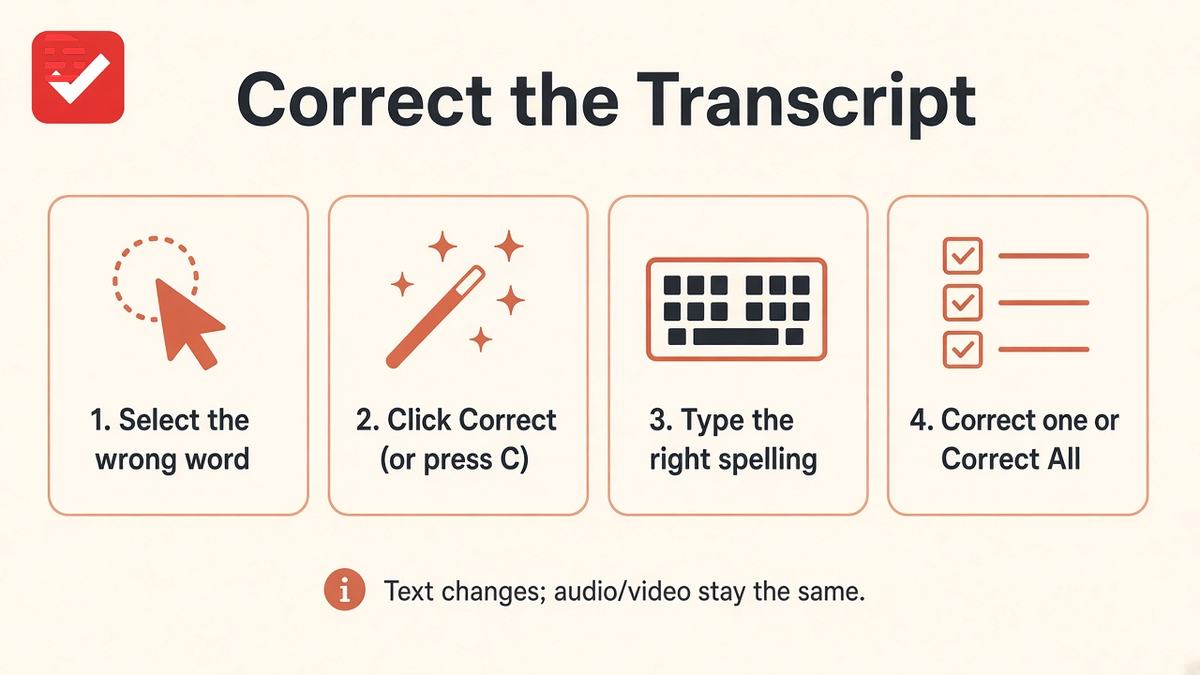
Four beats: highlight the wrong word → Correct → type the replacement → text updates (audio/video stay the same).
How do I correct one word in the Descript transcript?
Follow along in the browser at web.descript.com:
- Highlight the incorrect word or phrase in the transcript.
- Click Correct in the popup toolbar (or press C).
- Type the correct wording — in the lesson demo, orange becomes yellow.
- Click Correct to apply — only the transcript text changes; audio and video stay the same.
- Optional: Correct all — finds every occurrence of that word and replaces every instance throughout the transcript.
After a correction, Descript re-checks alignment; a dotted gray underline can appear while that updates. For bulk typing without clicking Correct each time, press Opt+C (Mac) or Alt+C (Windows) to enter Correct text mode. Official write-up: Correct your transcript on help.descript.com. Related reads: Intro to the Transcript and Transcript, Scene Editor, and Timeline: Descript Editor Map.
When should I bother correcting the Descript transcript vs relying on YouTube’s?
Correct inside Descript when you need accurate captions, an exported transcript, or published show notes from your project—or when you edit by words in the transcript. YouTube captions are a separate publish step. If you are cutting and publishing from Descript, clean the Descript transcript where accuracy matters; do not assume YouTube will fix what you leave wrong upstream.
Watch: You’re editing your transcript the hard way
Prefer video? Watch You’re Editing Your Transcript the Hard Way on the Descript Made Easy with Ross channel (Kajabi may strip iframes, so this is a plain link). Optional secondary: How to Fix 80% of Descript Errors.
Get the printable Correcting the Transcript checklist
Want a one-page checklist (highlight → Correct → type replacement → apply; optional Correct all)? Enter your email below—button copy is Get the checklist. Feel free to print.
FAQ
Why didn’t Descript catch a word I said perfectly clearly?
Auto-transcripts can still miss or mishear words. Use Correct when accuracy matters for captions, exported transcripts, or published show notes.
When should I bother correcting the Descript transcript vs relying on YouTube’s?
Correct in Descript when you edit or publish from the project and need accurate captions, exports, or show notes. YouTube captions are a separate step after upload.
Does Correct change my audio or video?
No. Correcting the transcript changes text only. It does not change the audio or video, and it does not change what you actually said. In the lesson demo, changing orange to yellow updated only the transcript.
What does Correct all do?
Correct all finds every occurrence of the selected word and replaces every instance throughout the transcript, so one misspelling can be fixed project-wide.
What shortcuts help with Correct?
Press C for Correct after selecting a word. Opt+C / Alt+C enters Correct text mode. Hold Z + click to toggle capitalization; hold X + click to cycle punctuation. See Descript Help: Correct your transcript.
Keep learning
- Descript for Beginners
- Intro to the Transcript in Descript: Beginner Guide
- Transcript, Scene Editor, and Timeline: Descript Editor Map
- How to Import and Transcribe Video in Descript (2026 Tutorial)
- Descript Help: Correct your transcript
- Free getting-started class
- Descript Made Easy
Want live help while you learn? Join the free 1-hour class: https://www.descriptmastery.com/getting-started-with-descript
Or go straight to Descript Made Easy: https://www.descriptmastery.com/
Check out the Descript Mastery School - my step-by-step blueprint for creating beautiful videos in 25% of the time.
Get 🔥 Descript tips!
Receive Descript tips, free resources, and easy-to-follow tutorials by email.
We hate SPAM. We will never sell your information, for any reason.