Start a Descript Project in 9:16 for Shorts
Sep 21, 2026Direct answer: To start a Descript project for YouTube Shorts, TikTok, Instagram Reels/Stories, or Snapchat, set your composition to Portrait (9:16) from the box icon in the top-left of the Scene Editor—before you dig into edits. That vertical frame matches full-screen mobile apps; regular YouTube (and most desktop feeds) stay Landscape (16:9).
This evening guide is grounded in the Descript Made Easy lesson “Setting Aspect Ratio” (Core Skills / Create Your First Project) and official Descript help. It is distinct from the morning overview: here we focus only on locking 9:16 Portrait for Shorts-style destinations. For the full three-ratio map, see Setting Aspect Ratio in Descript: Beginner Guide.
This article was written with AI, based on a real Descript Made Easy lesson by the humans behind Descript Made Easy.
Why start a Shorts project in 9:16?
Not every video is the same shape. The course lesson shows the three most common ratios: 16:9 (landscape), 9:16 (vertical), and 1:1 (square). Vertical 9:16 is the shape for TikTok, Instagram Reels and Stories, YouTube Shorts (different from the regular YouTube feed), and Snapchat—optimized for full-screen mobile. If you edit in 16:9 first, you spend time cropping and reframing later. Start Portrait when the destination is vertical.
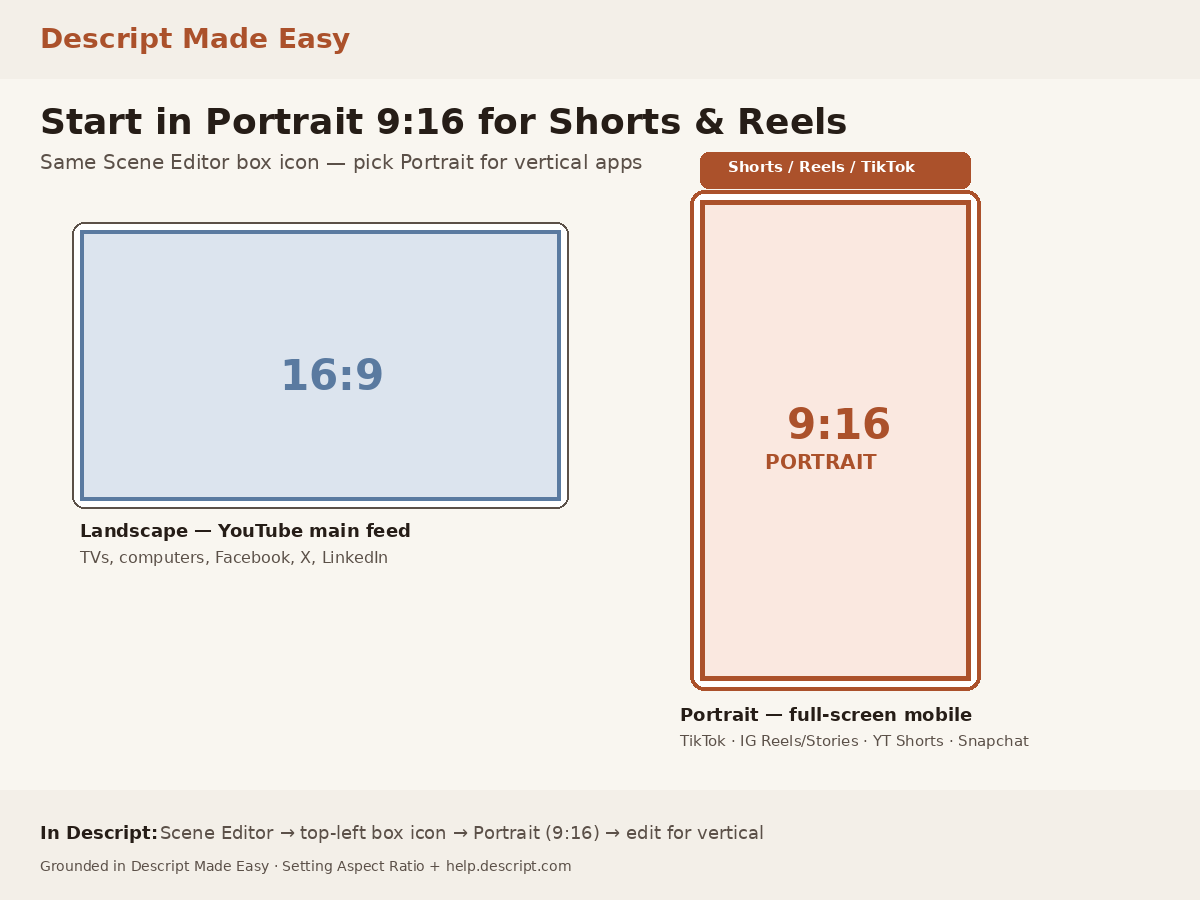
16:9 vs 9:16 at a glance—pick Portrait in Descript when you are heading to Shorts, Reels, TikTok, or Stories.
Watch: Creating Your First Project (Descript Made Easy)
Aspect ratio sits inside your first project setup. This channel walkthrough from Descript Made Easy with Ross pairs well with locking Portrait early:

Watch on YouTube: Creating Your First Project — then come back and set Portrait (9:16) with the steps below. (The course lesson video “Setting Aspect Ratio” is also inside Descript Made Easy.)
How do I set Portrait 9:16 in Descript?
Official Descript help (Aspect ratio and video settings) matches the beginner path after the lesson:
- Open your composition in the Descript editor.
- Click the box icon in the top-left of the Scene Editor (composition / video settings).
- Choose Portrait from the dropdown (Landscape / Square / Portrait / Other). Portrait is 9:16.
- Confirm the preview looks taller than it is wide—ready for Shorts, Reels, TikTok, Stories, or Snapchat.
Descript supports all three common ratios plus custom sizes. Choose Other only when you need a custom ratio. When you add media to a new composition, Descript often adjusts toward the nearest standard option (or matches a Recording). You can still switch to Portrait anytime with the steps above. See Aspect ratio and video settings for the latest UI wording.
Quick path: start a 9:16 Shorts project
- Decide the destination is vertical (Shorts / Reels / TikTok / Stories / Snapchat).
- Open the Scene Editor box icon and set Portrait (9:16).
- Record with the phone upright, or import vertical media that fits the frame.
- Edit and export in 9:16 so the file is already the right shape for mobile apps.
If my vertical video is longer than 3 minutes, does it still go to the Shorts algorithm?
Platform rules change, and Shorts length limits are set by YouTube—not by Descript. Descript’s job is to let you set a 9:16 composition so the frame matches vertical delivery. For current Shorts length and feed rules, check YouTube’s own help; then export from Descript at 9:16 so the file is already the right shape.
Get the printable 9:16 Shorts checklist
Want a one-page checklist you can print and tick off while you set Portrait? Enter your email below—button copy is Get the checklist. Feel free to print it.
FAQ
Which aspect ratio should I use for YouTube Shorts?
Portrait 9:16. Regular YouTube videos are typically 16:9; Shorts (and TikTok / Reels / Stories) are typically 9:16.
Where do I set Portrait in Descript?
Top-left of the Scene Editor: open the box / composition settings control, then choose Portrait (9:16).
Does Descript support only 9:16?
No. Descript supports Landscape (16:9), Portrait (9:16), Square (1:1), and custom ratios—enough for nearly every common publishing case.
Should I change aspect ratio before or after I record?
Prefer setting Portrait before you lean into edits. Shoot upright when you can so you are not fighting a landscape frame later.
Where should I go next as a beginner?
Use the Descript for Beginners hub, skim the related aspect-ratio posts, then keep practicing inside a free class or Descript Made Easy.
Keep learning
- Descript for Beginners
- Setting Aspect Ratio in Descript: Beginner Guide (morning companion)
- Pick Your Aspect Ratio Before You Hit Record
- Aspect Ratio Explained: 1:1, 16:9, 9:16, and More
- How to Change Video Orientation in Descript (Landscape to Portrait)
- Creating Your First Video Project in Descript
- Descript Help: Aspect ratio and video settings
- Free getting-started class
- Descript Made Easy
Want live help while you learn? Join the free 1-hour class: https://www.descriptmastery.com/getting-started-with-descript
Or go straight to Descript Made Easy: https://www.descriptmastery.com/
Check out the Descript Mastery School - my step-by-step blueprint for creating beautiful videos in 25% of the time.
Get 🔥 Descript tips!
Receive Descript tips, free resources, and easy-to-follow tutorials by email.
We hate SPAM. We will never sell your information, for any reason.